What's happening on the streets right now?
The Ops · Live dashboard: trips, fares, tips and trip durations by the minute, updating as new rides stream in from Postgres over CDC.
ClickHouse BUILD Series
In one three-hour sitting, you take NYC Taxi Ops — the operations app of a New York ride-hailing fleet — live on ClickHouse Cloud, hands-on and module by module, with your AI coding agent working alongside you.
Choose once. The workshop keeps the right setup visible on every page.
The use case
You join the operations team of a NYC ride-hailing company. Millions of trips, hundreds of zones, and four questions that never stop coming. NYC Taxi Ops is the app that answers them — and over three hours you make it real-time, conversational, and observable on ClickHouse Cloud.
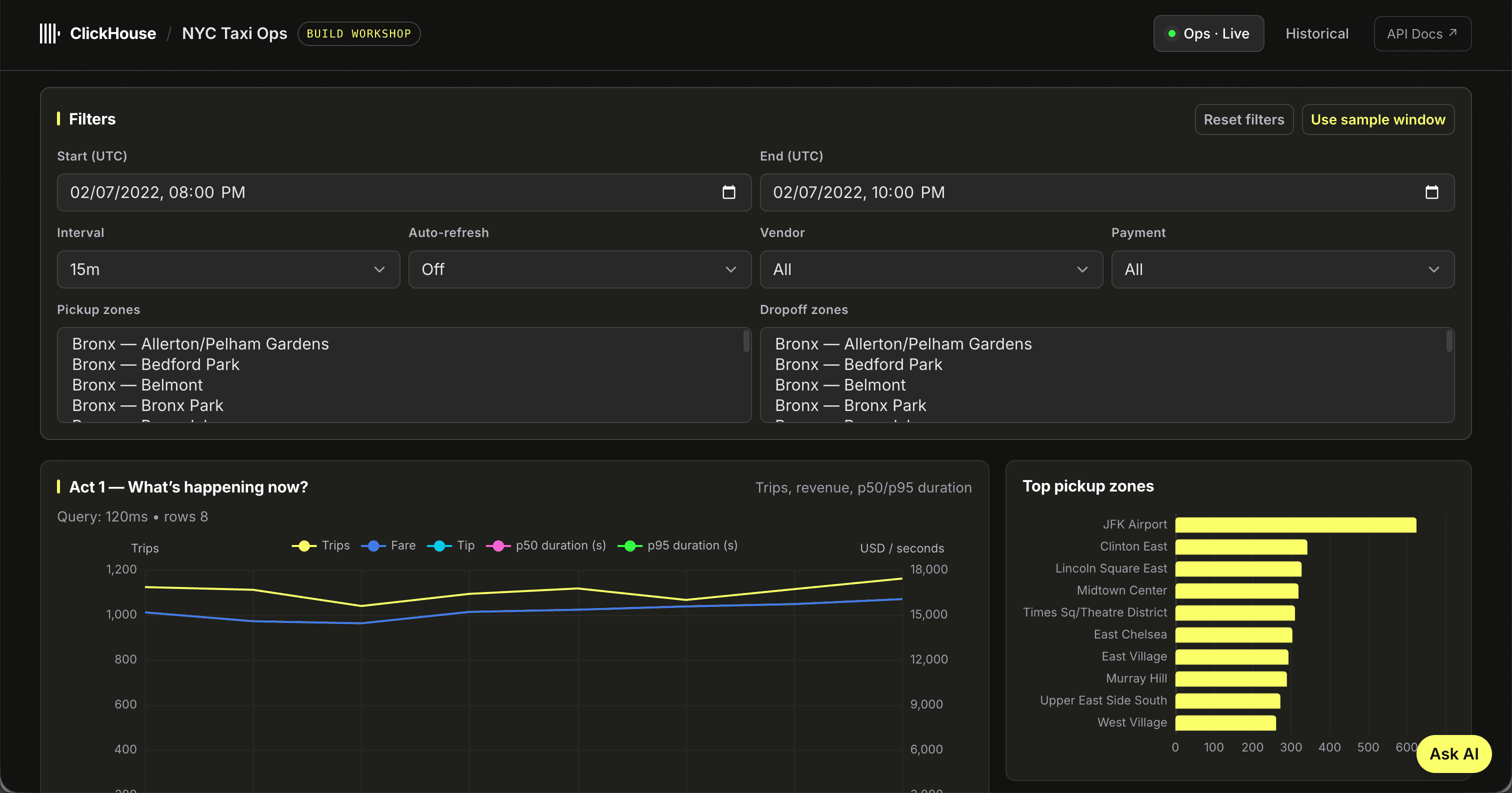
The Ops · Live dashboard: trips, fares, tips and trip durations by the minute, updating as new rides stream in from Postgres over CDC.
The Historical view: monthly trends and a day-by-hour seasonality heatmap across 3.2M+ trips, answered in milliseconds.
Ask AI and ClickHouse Agents answer in plain English, with a chart and the SQL behind it — no query writing.
Traces, logs and session replays land in ClickStack, and your AI SRE reads them to find the root cause and prove the fix.
Not a lecture. You leave with a running prototype.
Most workshops hand you slides. This one hands you a real, working NYC-taxi ride-hailing app — React front end, FastAPI back end, a Postgres source — and, module by module, you move its data and its intelligence onto ClickHouse Cloud.
You never build from scratch and you never fall behind. Every command is copy-paste and your coding agent handles the typing, so you can focus on learning each piece. Each module states exactly what you need in place — so if you get stuck, you catch up in seconds.
When the session ends, the trial keeps running, everything you built keeps running on it, and the repository is yours to take back to your team and demo live.
What you walk away with
All on your own ClickHouse Cloud trial — you connect it, module by module, during the session.
Over 3.2M+ real NYC taxi rows, seeded straight from object storage — and fast enough to feel it.
Your own managed Postgres streaming continuously into ClickHouse through a ClickPipe.
Ask your data questions in plain language with ClickHouse Agents — governed, no SQL required.
App traces and logs flow into ClickStack / HyperDX; your agent builds a dashboard and alert over them, then diagnoses a live incident.
An in-app AI chat with every turn, generation, and cost traced end to end in Langfuse.
Yours to keep, extend, and point at your own data after the room clears.
One platform, end to end
A guided tour across ClickHouse Cloud — you connect and configure each piece yourself, from ingestion to AI.
Plus the one non-ClickHouse service the app calls: OpenAI (the chat model behind the in-app AI chat).
The route · ~2h30 hands-on
A three-hour session: ~2h30 of building, plus the opening, transitions, and the live finale demos.
Accounts, keys, tools, agent skills, and the app running locally — all wired up and verified.
Create the schema, seed 3.2M+ historical rows from object storage, and feel the query speed.
Tour the running app now that it has data: the Ops and Historical dashboards and the chat panel.
Stream live rows from your own managed Postgres into ClickHouse with a Postgres CDC ClickPipe.
Conversational BI: create an agent over your taxi data and explore it in natural language.
Enable ClickStack and send your app's traces and logs to HyperDX.
Connect your agent to the ClickStack MCP and have it build an SRE dashboard and an alert.
Inject a realistic fault, diagnose it from telemetry with an AI SRE, and ship the fix.
Use the in-app AI chat and follow its traces, generations, and costs in Langfuse.
Review what you built, take it home, and extend it to your own data.
Runs with an instructor or fully self-paced. The primary path is self-serve — your coding agent doubles as your instructor, and a troubleshooting reference covers every failure seen in testing.
Before you join
Bring your team, your laptops, and your coding agents. Leave with a real-time, observable, AI-assisted analytics app on ClickHouse Cloud.